PnetLAB 이란 ? Eve-ng 처럼 가상의 시뮬레이터로 여러가지 랩들을 구현해볼수 있음
ishare2 = 아주 편하게 서버에서 이미지를 쉽게 다운로드하고 관리 할수 있도록 Bash로 작성된 CLI 도구
그래서 PnetLAB 을 깔고 , 이유는? Eve-ng 도 괜찮지만 유로버전도 있음
아무튼... 인터넷에 PnetLAB 환경이 접속할수 있어야됨.
그래야 ishare2 로 아주 편하게 이미지 다운로드 받을수 있음
Eve-ng 쓰다보면 이미지가 없는 경우가 있는데 혹은 있더라도 짜치게 이미지가 뻑나서 실행이 안되는경우가 아주 많음
이미지 신경쓰다가 세월가는 경우가 너무 많아서 너무 빡침...
아무튼 Pnet 이든 Eve-ng 든 실장비든 잘되게끔 하는게 중요한듯...
맨날 설치할때마다 기억이 안나서 정리해봅니다.
미래의 저를 위해서..
PnetLAB 을 ESXI 서버 위에 설치하는 방법을 정리합니다.
먼저 PnetLAB 공식 홈페이지에서 PnetLAB setup 파일을 다운로드합니다.
https://pnetlab.com/pages/download
PNETLab : Lab is Simple
Enable virtualization on Vmware
pnetlab.com

다운 받습니다...
그리고 ESXI 에서 create / Register VM 누르고
OVA file 이기 떄문에 중간꺼 선택

아래에 파일 던지고 넥스트 계속 ㄱㄱ

Pnet 설치하는데 답답하다 싶으면 F12 누르면 남은 시간 나옵니다
보통 5분 기다려야됩니다
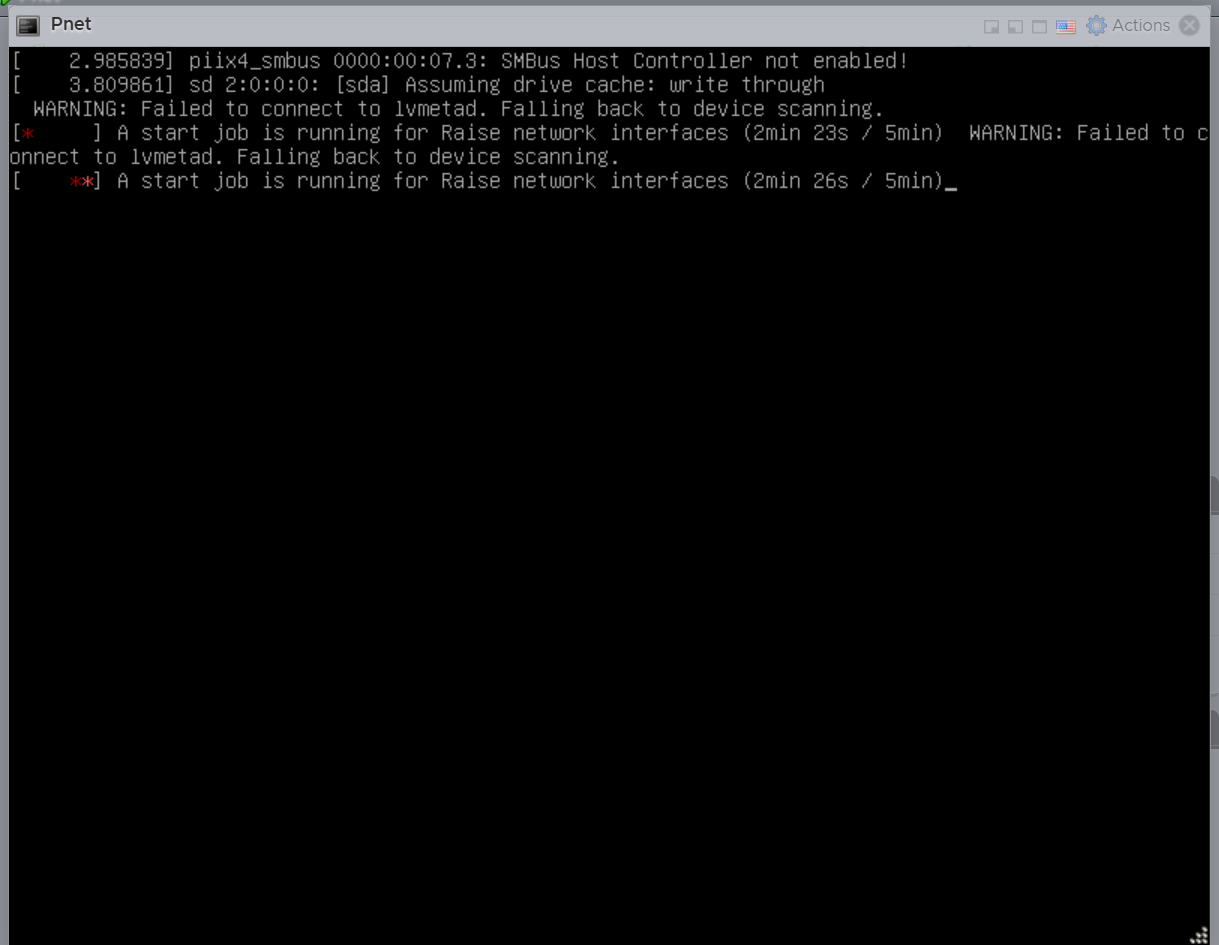
기본적인 아이피 셋업중 먼가 잘안될떄
중요한 커맨드모음
rm -f /opt/ovf/.configured ------------> 컨피그 정보 지우기
su - --------------> 다시 IP 잡아주기
머 이건 나중에 바꾸고 중요한것만 설명하자면
WAN 을 꼭 추가 해줘야 합니다.WAN (192.대역)

그리고 스위치에서 이거 확인
vlan 1 은 ESXI 관리 대역 매니지먼트이기 때문에 만약 access 192 만 들어가면 vlan 1 다운 되면서 esxi 접속 불가
그래서 아래처럼 세팅해줘야함
WAN (vlan 192) 를 인터페이스 추가해줘야 합니다.
인터넷으로 핑이 되는것 까지 확인했습니다.
스위치에서 이렇게 세팅하고 vlan 1 은 꼭 살아있어야 합니다
그래야 192.접속가능
vlan 11 은 NAS 라서 NAS 쪽 스토리지를 쓰기 때문에 없으면 안됨
interface GigabitEthernet1/0/15
description **** real ESXI uplink ****
switchport trunk allowed vlan 1,11,192
switchport mode trunk
end
이후에는 머 인터넷도 되고 다됨.
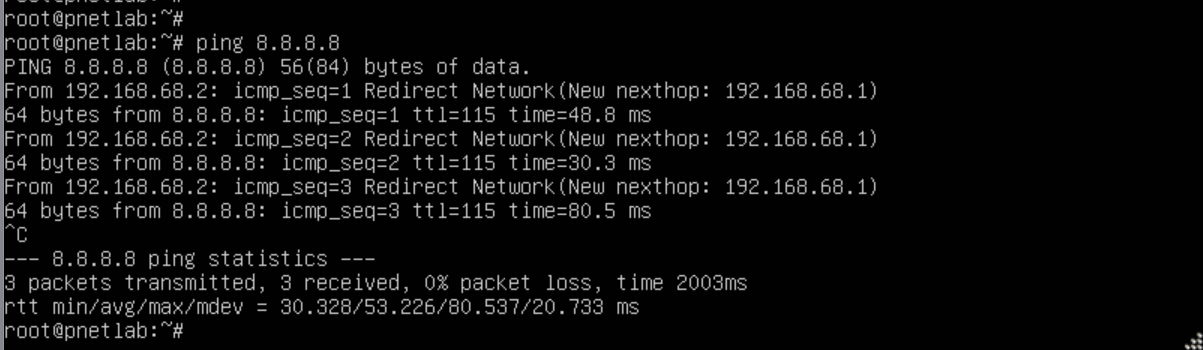
이후 PnetLAB 설정 변경

=========================
여기까진 PnetLAB 설치 하는 기본적인 인프라 세팅이고... 우리집 환경이기 때문에 사람마다 조금씩 세팅하는게 다를수 있음
이 글은 내가 나중에 또 삽질하고 있을것 같아서 쓰는 글임
지금부터는 ishared2 관련 내용.
https://github.com/ishare2-org/ishare2-cli?tab=readme-ov-file#quick-start-%F0%9F%9A%80
GitHub - ishare2-org/ishare2-cli: A tool to automate the download of images from labhub.eu.org
A tool to automate the download of images from labhub.eu.org - ishare2-org/ishare2-cli
github.com
공식 홈피 들어가면 아주 자세히 되어있으니까 생략함
ishare2 is a tool that helps you download and manage images in your network emulators easily. ishare2 can download qemu, dynamips, bin/iol and docker images. It can also download images needed for labs automatically. To get started, use the one of the installation methods below.
wget -O /usr/sbin/ishare2 https://raw.githubusercontent.com/ishare2-org/ishare2-cli/main/ishare2 && chmod +x /usr/sbin/ishare2 && ishare2curl -O /usr/sbin/ishare2 https://raw.githubusercontent.com/ishare2-org/ishare2-cli/main/ishare2 && chmod +x /usr/sbin/ishare2 && ishare2Note: Run the command as root or using sudo
나는 wget 으로 설치..
한줄로 설치하는게 깔끔
여기서 중요한건 ssh 로 pnetLAB 을 movaxterm 에서 붙어야 쉽게 저 한줄을 복사할수 있음
ESXI 콘솔은 그지 같아서 복사 붙혀넣기가 안됨 한글자씩 타이핑 할려면 뒷목잡게 됨.
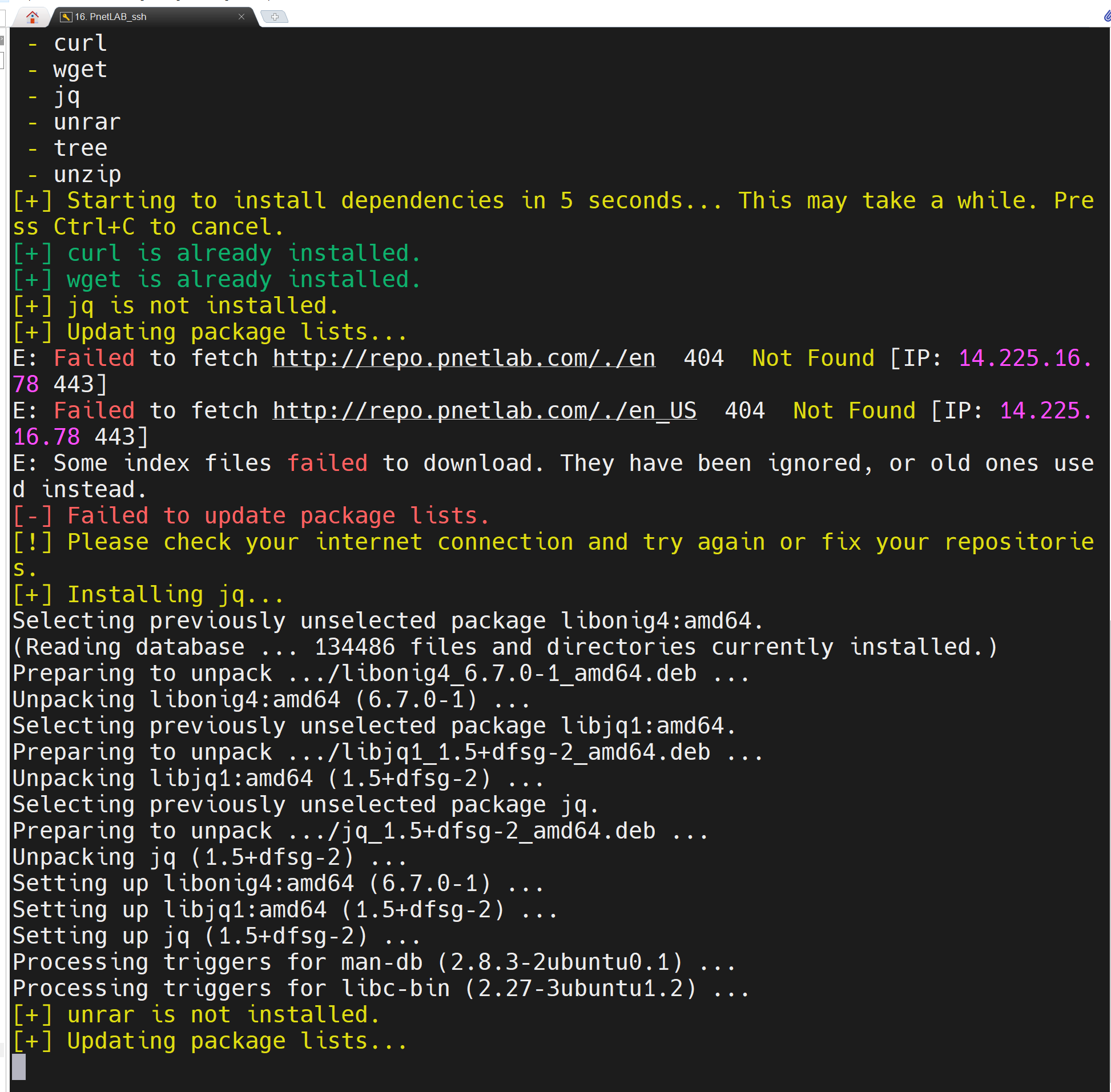
좀 시간걸림
깔다보면 아래와 같이 머 물어보는데 걍 전부 default 로 선택하면됨

ishare2는 다음과 같은 구문을 사용하여 다양한 작업을 실행하며, 각 작업에 대한 자세한 설명은 아래에 있습니다.
    ishare2 [action] [param1] [param2]

    action:
      search      : Search for images by type
      pull        : Download an image by type and number
      installed   : Show installed images on server
      labs        : Show labs on server and download images for those labs
      mylabs      : Same as labs command but using a customized path to labs
      relicense   : Generate a new iourc license for bin images
      upgrade     : Retrieves a menu that allows users to upgrade ishare2 and PNETLab VM
      changelog   : Show the latest changes made to ishare2
      gui         : Web app to use ishare2 in browser
      help        : Show useful information
      test        : Test if ishare2 dependencies are reachable (GitHub, Google Spreadsheets)

    param1:
      type = all, bin, qemu, dynamips, docker or name

    param2:
      number = This number can be obtained using ishare2 search <type>
머 사용방법은 아까 공식홈피에서 보면될것 같고
필요하다면 찾아보면 되니깐...
매번 먼가 영감이 떠올라서 만들려고 할때마다 이미지가 없어서 빡치는 경우가 항상 지난 몇년간 겪어 왔음
PnetLAB 스펙은 이정도기때문에 충분히 이미지를 다운받아도 괜찮지 않을까 추측을 해봄

그리고 PnetLAB 에는 선배들이 만들어놓은 랩들이 있음
https://user.pnetlab.com/store/labs/view
PNETLab | Lab is Simple
user.pnetlab.com
내가 테스트 삼아서 2개 랩을 다운받았고
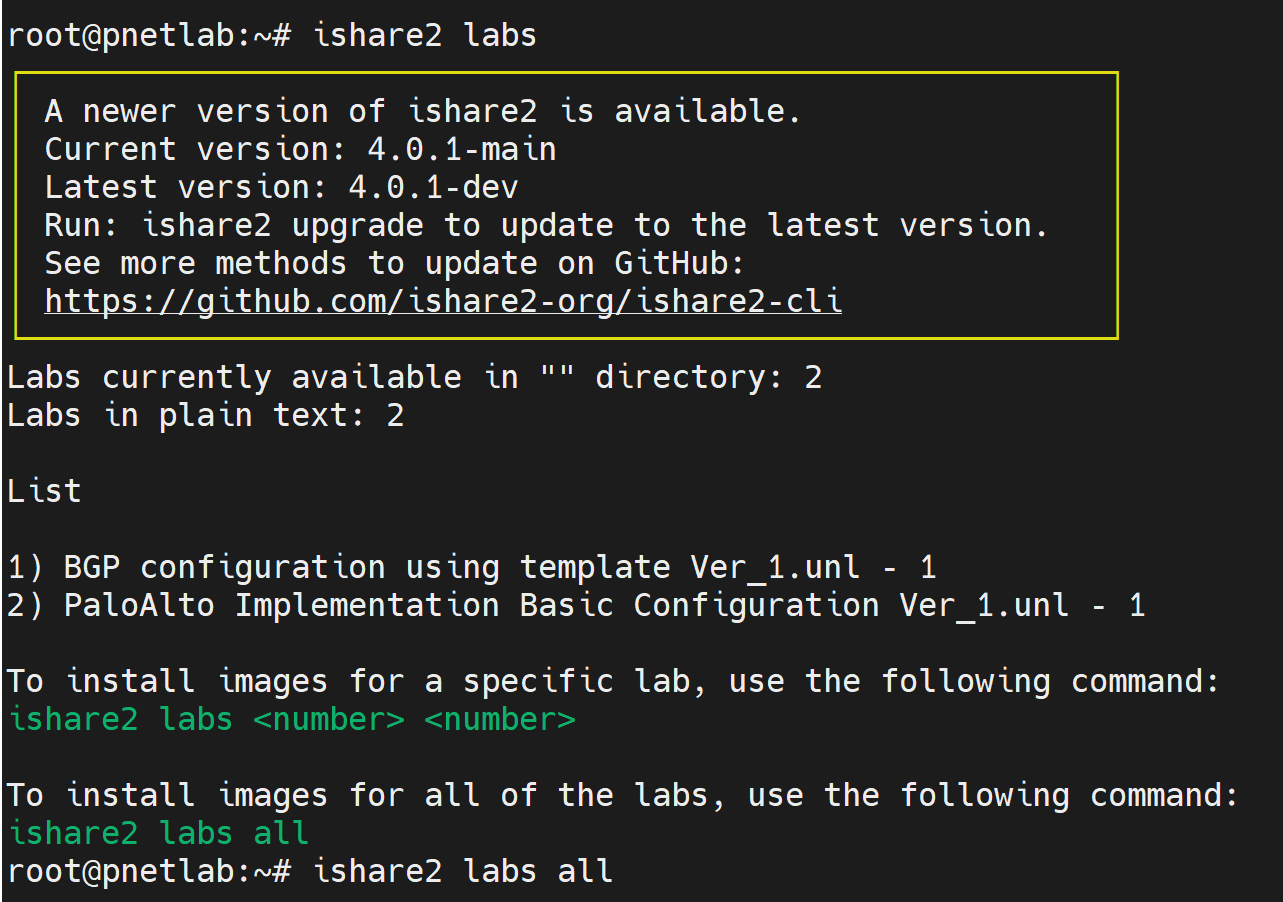
ishared2 labs all
하니까 랩에 필요한 모든 이미지 자동으로 다운받은것 같음
테스트 해보면

이거 다운 받은 랩인데 다른건 다 잘되는데 팔로가 안켜짐
가이드에도 팔로 8.1 인가 뭐 다운받아라고 되어있었음..
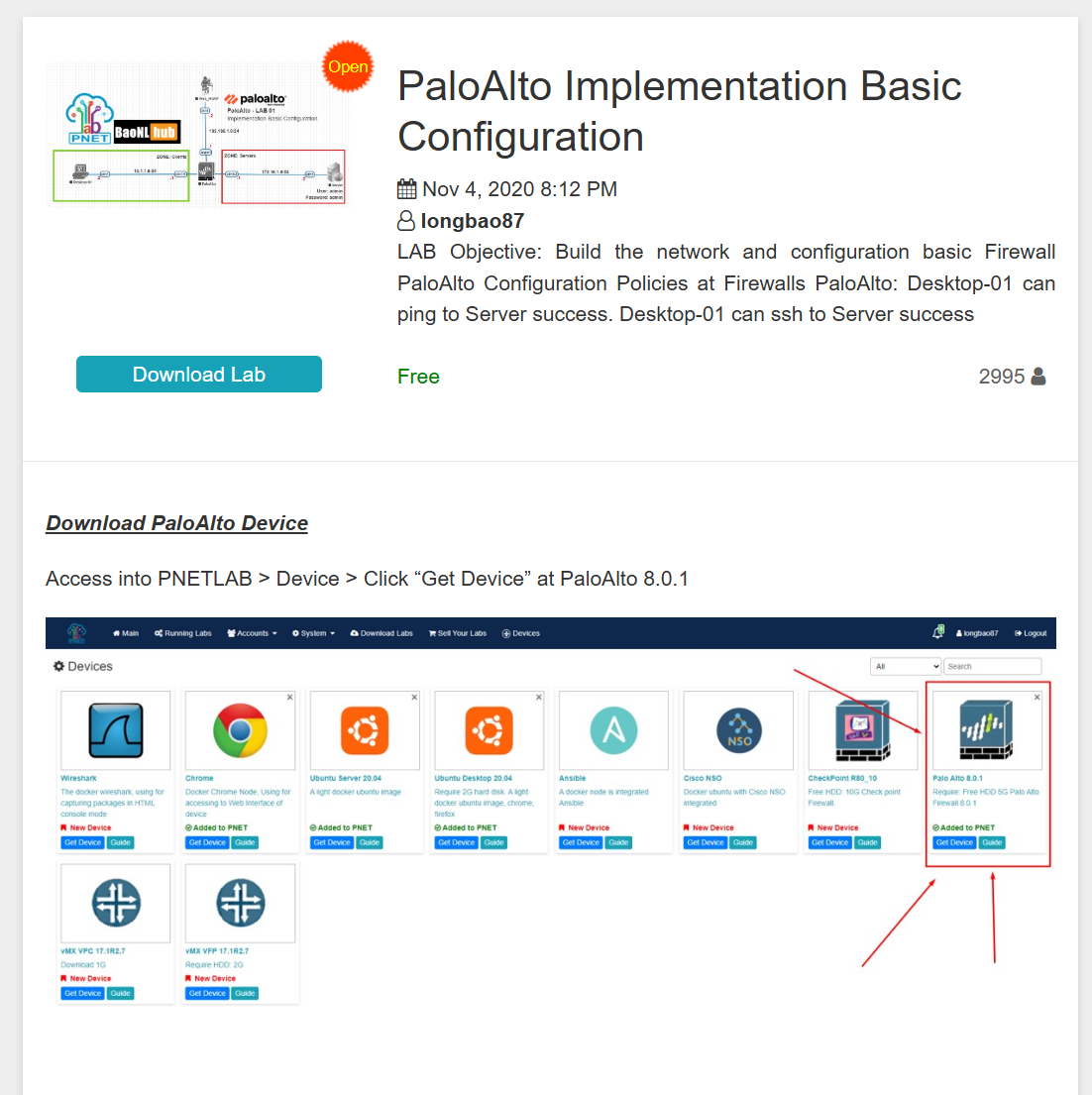
근데 다운받을수가 없었음 그래서 한번 검색해봄 (아래)
root@pnetlab:~# ishare2 search qemu palo
┌─────────────────────────────────────────────────────────┐
│ A newer version of ishare2 is available. │
│ Current version: 4.0.1-main │
│ Latest version: 4.0.1-dev │
│ Run: ishare2 upgrade to update to the latest version. │
│ See more methods to update on GitHub: │
│ https://github.com/ishare2-org/ishare2-cli │
└─────────────────────────────────────────────────────────┘
=============================
Available QEMU images
=============================
ID NAME SIZE
-- ---- ----
1064 paloalto-10.0.0 5.7 GiB
1065 paloalto-10.0.0.tar 2.8 GiB
1066 paloalto-10.0.4-eval 2.9 GiB
1067 paloalto-10.0.4-Pre-Licensed-Eval 2.8 GiB
1068 paloalto-10.1.0 3.3 GiB
1069 paloalto-10.1.0 3.4 GiB
1070 paloalto-10.2.2 4.8 GiB
1071 paloalto-10.2.3 4.9 GiB
1072 paloalto-10.2.5 3.8 GiB
1073 paloalto-10.2.5-Pre-Licensed-Eval 4.6 GiB
1074 paloalto-11.0.0 3.8 GiB
1075 paloalto-11.0.0 3.8 GiB
1076 paloalto-11.2.3-h3 6.1 GiB
1077 paloalto-11.2.5 6.2 GiB
1078 paloalto-6.1.0 2.3 GiB
1079 paloalto-8.0.0 1.9 GiB
1080 paloalto-8.1.0 2.1 GiB
1081 paloalto-9.0.1 5.3 GiB
1082 paloalto-9.0.4 3.0 GiB
1083 paloalto-9.1.0 2.4 GiB
1084 paloalto-9.1.2 2.7 GiB
21 QEMU image(s) found
[!] You can use the command ishare2 pull <type> <id> to download the image
root@pnetlab:~#
1067 paloalto-10.0.4-Pre-Licensed-Eval 2.8 GiB
이버전 한번 다운로드 받으려고 함
그리고 이미지 다운 받고 난다음에는 항상
5. Fix permissions:
/opt/unetlab/wrappers/unl_wrapper -a fixpermissions
/opt/unetlab/wrappers/unl_wrapper -a fixpermissions
이걸 해줬어야 됬는데 자동으로 되는건지 헷갈림... 아무튼 해주는게 좋음
PnetLAB 콘솔창에다가..
순조행님이 좋아하는 OSPF
https://user.pnetlab.com/store/labs/view?group=11&groupName=OSPF
그리고 BGP
https://user.pnetlab.com/store/labs/view?group=12&groupName=BGP
PNETLab | Lab is Simple
user.pnetlab.com
모두다 랩이 엄청 많이 잘되있으니까 공부하기는 원없이 공부할수 있을듯....
CCIE 공부하면서 느낀게 있다면 어떤 기술이든
랩 500시간 하면 뭐든지 누구든지 잘한다는것임...
끝..
'Home LAB > home LAB' 카테고리의 다른 글
| 새로운 지식 container LAB 관련 (0) | 2026.01.11 |
|---|---|
| PnetLAB 에서 장비클릭시 Movaxterm 사용하는 방법 (0) | 2026.01.11 |
| Building My Home Lab: 32U 1000mm Depth Network Rack Journey (2) | 2025.08.17 |
| Packet Tracer Font size change (0) | 2025.08.14 |
| CSR-v1000 install (0) | 2025.04.27 |